

Payment webhooks
Xara sends an HTTP request to your webhook URL when an invoice receives a payment or becomes fully paid. When you configure a signing secret, the request includes a signature that your application can verify.
Create a webhook
Open the Xara developer dashboard, find Webhooks, and select Add Webhook.
- Enter the HTTPS URL that should receive Xara's
POSTrequests. - Select the events your application handles.
- Optionally enter a secret if you want to verify signed requests.
- Select Create Webhook.
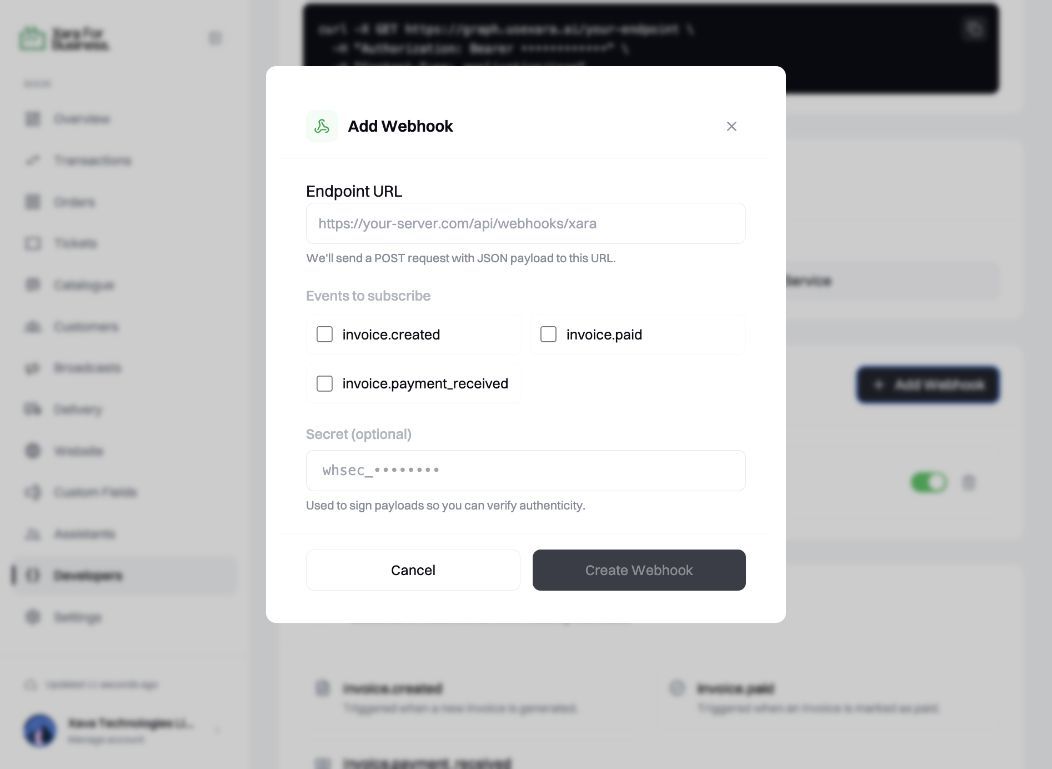
The form only asks for values that you control. Xara adds the event, delivery ID, and signature headers when it sends a webhook.
Events
| Event | When it is sent |
|---|---|
invoice.payment_received | A partial payment has been received. |
invoice.paid | The invoice has been paid in full. |
Use invoice.paid to confirm that the invoice has been paid in full. The panel beside this guide shows the headers and payload sent to your endpoint.
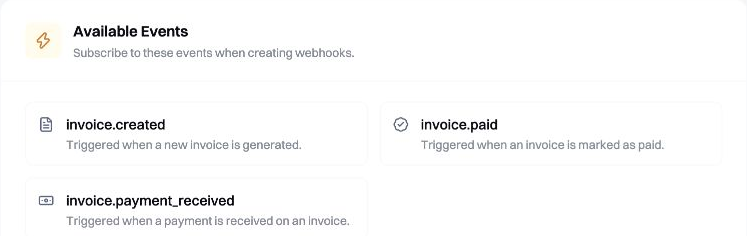
The developer dashboard lists the event names Xara can deliver. Your integration should handle only the events it needs.
Delivery headers
You do not need to find or generate these values. Xara adds them automatically when it sends a webhook to your registered URL.
X-Xara-Event
Sent by Xara. This is the event that caused the webhook, such as invoice.paid. Read it from the incoming request and use it to choose the correct handler.
X-Xara-Delivery-Id
Generated and sent by Xara. This identifies the logical webhook delivery. It is not taken from the payment, and it is not the invoice reference. Store it after processing the webhook; if the same value arrives again during a retry, do not apply the payment twice.
X-Xara-Signature
Calculated and sent by Xara. When a signing secret is configured, Xara signs the raw request body with that secret and puts the Base64 result in this header. Your application calculates the same value locally to verify the request.
The values you configure are your webhook URL, the events your integration handles, and your webhook signing secret. The event name, delivery ID, and signature arrive with each incoming request.
Verify the signature
Compute an HMAC-SHA256 digest of the raw request body using your webhook secret. Encode the result as Base64 and compare it with X-Xara-Signature.
Process the webhook
- Read and preserve the raw request body.
- Verify
X-Xara-Signaturebefore trusting the payload. - Reject event names you do not support.
- Store
X-Xara-Delivery-Id. If you have already processed that value, acknowledge the retry without applying the payment again. - Match
payment.referenceto the invoice reference stored by your application. - Apply the change once, then return a
2xxresponse quickly.
Retries
When delivery is unsuccessful, Xara retries after approximately 1 minute, 5 minutes, and 30 minutes. A retry can contain the same delivery ID, so your application must not process that ID twice.